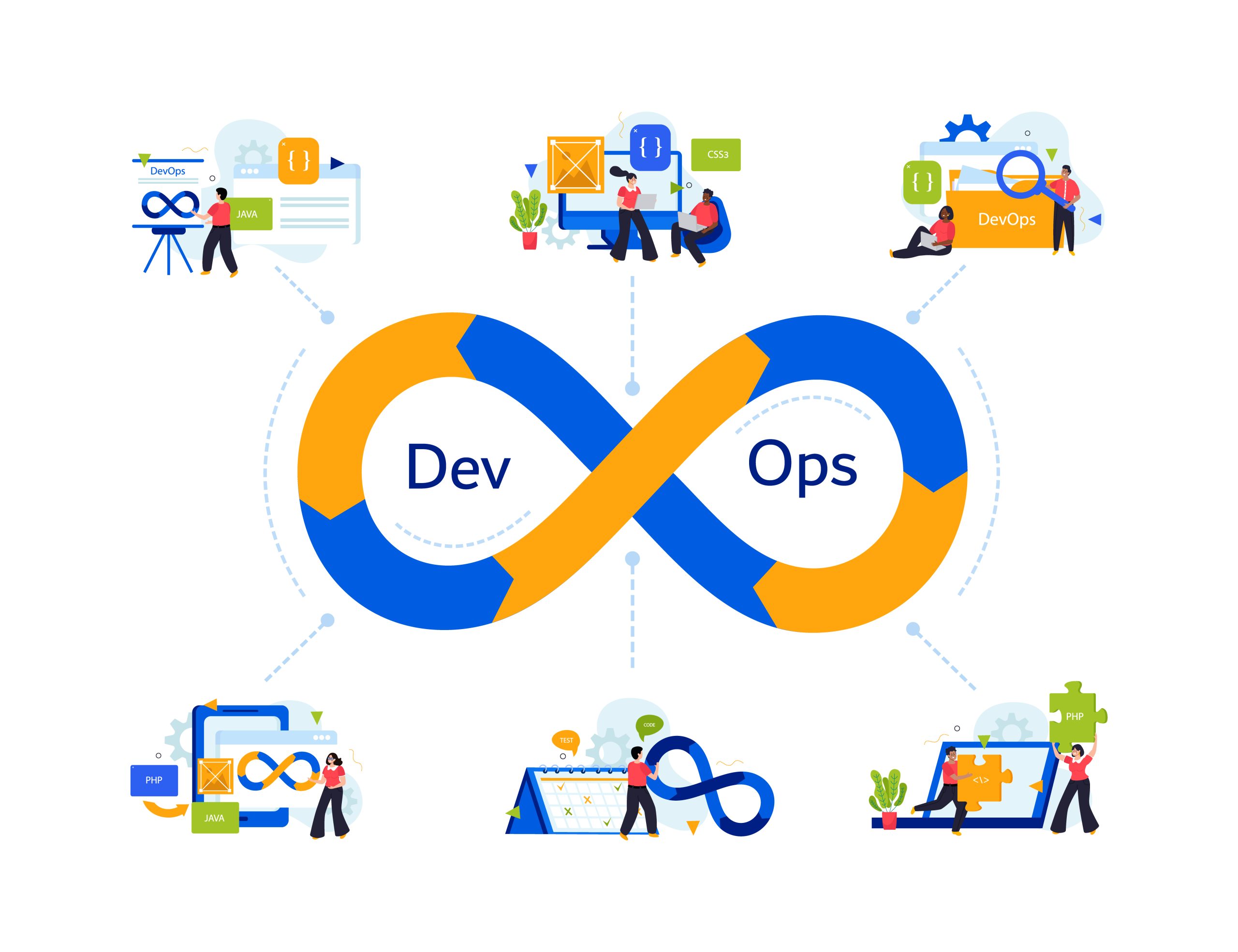
A DevOps pipeline is an automated workflow that gets code from a developer’s laptop into a live production environment. Development and operations share it, so there’s no more “we finished our part, now it’s your problem.” Building, testing and deploying all happen without someone babysitting each step.
Think of a factory line, just for software. Code goes on at one end. Out comes an app that’s already been tested, deployed and monitored.
How Does a DevOps Pipeline Work?
Not a straight line, really. Picture a loop that keeps turning. Most teams run something close to this:
- A developer pushes new code to a shared repository.
- The build kicks off on its own and compiles everything.
- Tests run next. They’re there to catch bugs early, while they’re still cheap to fix.
- If the tests pass, the application gets packaged for release.
- Deployment tools push it out to staging or production.
- Monitoring tools watch how it holds up.
- Whatever monitoring turns up goes back to the developers, and the loop starts over.
That loop is what makes DevOps different from the old way of delivering software. Teams used to trade speed for stability. With a working loop, you don’t have to pick.
That’s the kind of improvement Tambena Consulting helps clients reach. Their DevOps advisory team starts by mapping how a company really releases software, then hunts for the friction points quietly slowing teams down. Most are minor. That’s usually why nobody has caught them.
What Are the DevOps Pipeline Stages?
Mature pipelines tend to pass through eight stages. Once you know what each stage does, spotting where automation saves the most time gets a lot easier.
1. Plan
Requirements, user stories and sprint priorities all get settled here. Rush this stage and you’ll feel it in every one that follows.
2. Code
Developers write the application and commit it to version control, and for most teams that means Git. Branching strategies and pull requests keep the work tidy, and reviewers can see what changed and who changed it.
3. Build
Here the source code gets compiled and its dependencies are pulled in. What comes out is a deployable artifact. This is where build automation tools step in, so no one has to compile by hand.
4. Test
Unit, integration and security tests all run automatically. Fixing a bug at this point is cheap. Fix that same bug once it’s in production and it costs a lot more.
5. Release
Validated code gets versioned and staged for deployment. Some organizations ask a person to approve it before anything moves. Others let automation handle the whole step, no approval needed.
6. Deploy
The application moves into a development, staging or production environment. A good deployment automation setup also includes a quick way back, since something will break eventually.
7. Operate
Once the app is live, someone still has to keep it running well. That’s infrastructure management, configuration and everyday reliability.
8. Monitor
Teams track performance, logs, metrics and alerts all the time. Whatever they learn goes back into planning, which closes the loop.
Written out, the flow is: Plan → Code → Build → Test → Release → Deploy → Operate → Monitor → Feedback. It never really ends. You just go around again.
What Is a CI/CD Pipeline?
CI/CD stands for continuous integration and continuous delivery, and sometimes continuous deployment. Most of the stages above run on it.
Continuous delivery means every validated change stays ready to release. A person usually approves the final push to production.
Continuous deployment takes that approval out. Once a change passes validation, it goes live by itself.
People use these three terms interchangeably, but they aren’t the same thing. The table breaks it down.
| Concept | Main Purpose | Reaches Production Automatically? |
|---|---|---|
| Continuous Integration | Merge and validate code often | No |
| Continuous Delivery | Keep code release-ready at all times | Usually requires approval |
| Continuous Deployment | Push validated changes live automatically | Yes |
DevOps Pipeline vs CI/CD Pipeline: What Is the Difference?
Plenty of people search for this comparison, and the reason isn’t hard to see. The two overlap so heavily that it’s easy to treat them as one.
A DevOps pipeline covers the whole process from start to finish: planning, coding, building, testing, deployment, operations, monitoring and feedback.
A CI/CD pipeline covers less. It mainly automates integration, testing, and delivery or deployment.
Build, Test, and Deploy: The Core of Automation
Build compiles code, resolves dependencies and produces a deployable package. Test runs automated checks for bugs, security flaws and broken features. Deploy moves the validated package into a live environment, with rollback options on hand if needed.
Get all three automated and releases stop feeling like a gamble. That growing confidence is often what persuades leadership to put more into DevOps maturity. It’s a common starting point for firms like Tambena Consulting too. The first goal is usually to stabilize build, test and deploy, and only then automate anything more complex.
What Are DevOps Pipeline Tools?
What a tool does matters more than which one you pick. Here are the main categories.
- Source control: Git, GitHub, GitLab and Bitbucket track code history and help teams work together.
- CI/CD automation: Jenkins, GitHub Actions, GitLab CI/CD and Azure DevOps kick off builds and tests.
- Containerization: Docker and Kubernetes package applications so they run the same way in every environment.
- Infrastructure as Code: Terraform, AWS CloudFormation and Ansible provision infrastructure with code instead of manual setup.
- Monitoring and observability: Prometheus, Grafana and Datadog track application and infrastructure health in real time.
- Artifact management: JFrog Artifactory and Amazon ECR store and version what the build produces.
Tambena Consulting builds tool selection around a client’s existing stack rather than pushing a fixed toolset.
What Is Deployment Automation?
Deployment automation removes the repetitive manual work involved in pushing code live. It takes in environment provisioning, configuration management, release automation and rollback handling.
Blue-green and canary deployment fall under this umbrella too. Both send a change to a small group of users first. If it goes wrong, only a few people feel it.
The results show up in the data. According to GitLab’s research, 77 percent of surveyed developers were shipping new code multiple times a week, and 30 percent did it daily. That pace only holds up with heavy deployment automation behind it.
What Is Infrastructure as Code in DevOps?
Infrastructure as Code, or IaC, means defining and provisioning servers, networks and cloud resources through machine-readable configuration files. IaC keeps dev, staging and production consistent, version-controlled and repeatable, and it puts an end to plenty of “but it worked on my machine” arguments.
Tambena Consulting’s infrastructure team frequently starts here. Sort out the inconsistency in infrastructure and a surprising number of downstream deployment failures vanish along with it.
Continuous Monitoring in a DevOps Pipeline
Deployment isn’t the finish line. It’s where monitoring starts to matter.
Application monitoring follows response times, error rates and availability. Infrastructure monitoring watches CPU, memory, storage and network health. Log monitoring collects application, infrastructure and security events for later analysis.
The money involved here is serious. For its 2025 Observability Forecast, New Relic surveyed over 1,700 IT and engineering professionals across 23 countries. It found that high-impact outages now carry a median cost of two million dollars per hour. ITIC’s 2024 survey of over 1,000 firms went a similar direction, with more than 90 percent of mid-size and large enterprises reporting hourly downtime costs above 300,000 dollars.
After numbers like those, continuous monitoring can’t really be called optional. Tambena Consulting’s managed monitoring service is designed to cut that exposure down. It relies on early alerting rather than reacting once the incident has already happened.
Benefits of Using a DevOps Pipeline
Software ships faster because automation removes slow manual handoffs. Mistakes drop, since a repeatable workflow never gets tired or distracted. Automated testing catches problems before release, so quality improves early. And developers get feedback quickly enough to fix things while the code is still fresh.
Deployments get more predictable too. A standardized process means fewer surprises than manual releases ever offered. Development and operations teams end up working around one shared workflow, and infrastructure scales without so much manual effort.
Common DevOps Pipeline Challenges
Having a pipeline doesn’t mean it’s reliable. Poorly configured build steps, flaky automated tests and slow builds are all common, and they wear developers down fast.
Security is a growing concern as well. GitLab’s 2024 report found that 56 percent of executives saw bringing AI into the software lifecycle as risky. Many individual contributors, on the other hand, pointed to privacy and data security as ongoing obstacles.
That’s where DevSecOps comes in. It builds security checks into every pipeline stage instead of bolting them on just before release. Tambena Consulting’s DevSecOps practice centers on this, embedding vulnerability scanning and secrets management into existing CI/CD workflows.
DevOps Pipeline Best Practices
A few habits set high-performing teams apart.
Automate whatever you find yourself repeating. Keep pipelines fast, because if they crawl, developers will start avoiding them. Test early.
Keep everything in version control, and handle infrastructure as code, not as a manual chore.
Lock down secrets and credentials properly. Put security testing right inside the pipeline. Monitor production continuously, and build your rollback strategy before you need it. Then track pipeline performance over time, so problems get caught early instead of piling up.
A Realistic DevOps Pipeline Example
Here’s how it might look for a typical web application deployment.
A developer commits code, and that triggers the pipeline automatically. The app builds, and then unit and integration tests run. Security checks come next, followed by a Docker image that gets created and stored in a registry.
Next, the application deploys to production. IaC manages the infrastructure, and monitoring keeps watch once it’s live. Now suppose a test fails or a deployment throws an error. The pipeline halts or rolls back by itself, and the team is alerted before users notice anything.
Final Thought
Good DevOps pipelines come down to discipline more than tooling. Automation helps only when the process beneath it already works.
If your team is still shipping by hand or wrestling with flaky pipelines, don’t put it off. Tambena Consulting helps engineering teams assess their existing pipelines, close automation gaps, and build the monitoring and security layers that keep releases safe as they scale.
FAQs
What is a DevOps pipeline?
It’s an automated workflow that carries code from development, through testing, and into production. Dev and ops teams work through one continuous process.
What are the main DevOps pipeline stages?
Plan, code, build, test, release, deploy, operate and monitor.
What is the difference between DevOps and CI/CD?
DevOps covers the whole delivery process from end to end. CI/CD is the automation layer inside it that handles integration, testing and delivery.
What is deployment automation?
It’s the automated handling of releases, including provisioning, configuration and rollback, with no manual intervention.
Why is continuous monitoring important?
Because outages are expensive. Recent industry figures put the median cost of a high-impact outage at two million dollars per hour.