Almost everyone needs a website these days. People expect to find you online, whether you are a business owner, a freelancer, a product seller, or even an online content creator. The issue is that the majority of beginners don’t know where to begin.
When you search for guidance on Google or YouTube, you find yourself overwhelmed by terms like wireframes, responsive layouts, hosting, UX, SEO, themes, and plugins. It immediately becomes confusing.
The ironic thing is that creating a website is not as difficult as people think. Although there is a learning curve, creating a professional website no longer requires you to be a developer. All you need is a straightforward procedure and a little perseverance.
This blog simplifies everything so you can grasp the real workings of website design without becoming lost in the process.
First, Understand What Your Website Is Supposed to Do
Many people make the error of creating a website without considering its intended use.
It’s similar to decorating a store before determining what to sell.
Before selecting colors or templates, consider the following fundamental questions:
- Why am I building this website?
- Who is going to visit it?
- What do I want people to do when they land here?
Your answer changes everything.
For example:
- A clothing brand needs a very different website than a law firm.
- A personal portfolio should feel different from an online store.
- A blog should be structured differently from a service-based business website.
Once you know the goal, the rest becomes much easier.
Don’t Build Without a Plan
Most bad websites have one thing in common: they were rushed.
People start adding pages randomly, uploading images, changing colors every five minutes, and hoping it somehow turns into a professional site.
Usually, it doesn’t.
A better approach is to plan the structure first.
Think about the pages visitors will need. Most websites normally include:
- Home page
- About page
- Services or products
- Contact page
- Blog or resources section
Now think about how someone will move through those pages.
If a visitor lands on your homepage for the first time, where should they go next? What information do they need before contacting you or making a purchase?
Good websites feel simple because someone actually thought through the experience beforehand.
Picking the Right Platform Matters
One of the biggest beginner questions is:
“What should I build my website on?”
There’s no single perfect answer because it depends on what you need.
Some of the most common platforms are:
- WordPress
- Shopify
- Wix
- Squarespace
- Webflow
If you want flexibility and room to grow, WordPress is usually the safest option.
If you’re mainly focused on selling products online, Shopify tends to make life easier because a lot of the e-commerce features are already built in.
For beginners who want something simple and fast, Wix or Squarespace can work too.
The important thing is not to overthink this step forever. People waste weeks comparing platforms instead of actually building the website.
Your Domain Name Is More Important Than You Think
Your domain name is basically your online identity.
A good one is usually:
- Short
- Easy to remember
- Easy to spell
- Relevant to your business or brand
Complicated names with random numbers or hyphens usually create problems later.
And yes, hosting matters too.
Cheap hosting often leads to slow websites, downtime, and technical headaches. Visitors are impatient. If your website takes forever to load, many people will leave before even seeing the page.
Simple Design Almost Always Wins
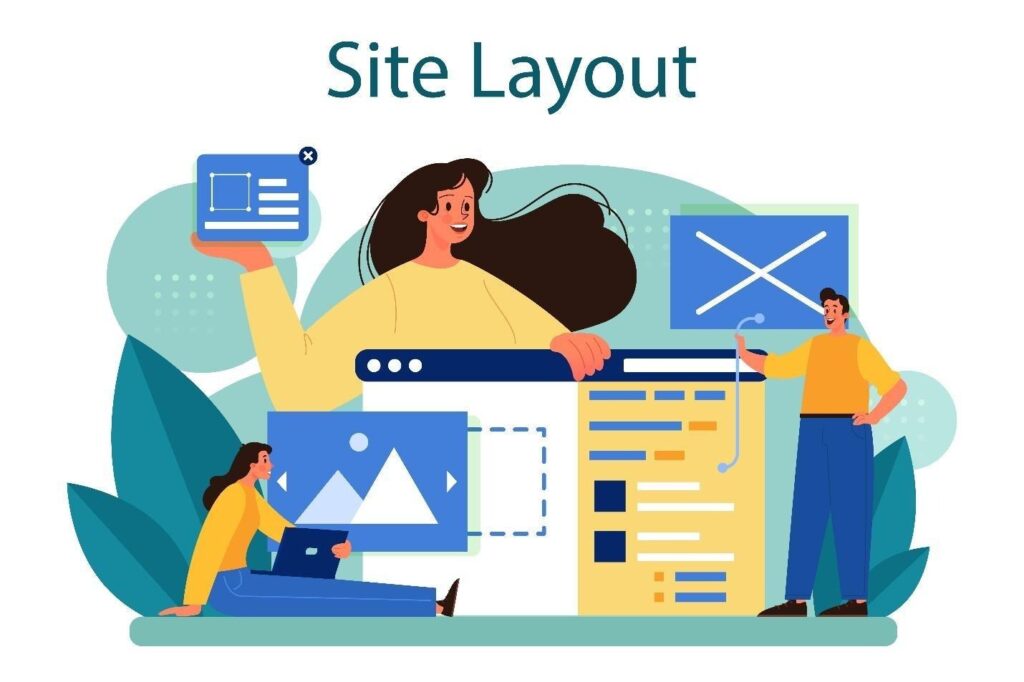
This is something beginners struggle with a lot.
People assume a “professional” website needs fancy animations, complicated effects, and dozens of colors.
In reality, the best websites are often the simplest ones.
Clean layouts feel easier to trust.
Good design usually comes down to a few basics:
- Clear navigation
- Readable fonts
- Consistent colors
- Proper spacing
- Good-quality images
That’s it.
Visitors should instantly understand what your website is about without hunting for information.
If everything on the page is screaming for attention, people stop paying attention altogether. As website expectations continue to grow, many businesses and designers are adopting smarter tools to make the design process faster, more collaborative, and easier to manage. Many designers also speed up the creative process by using collaborative UI and prototyping tools like https://www.magicpatterns.com/teams/designers during the early planning stages. These kinds of platforms help teams quickly test layout ideas, generate interface patterns, and refine user experiences before full development begins. For businesses trying to launch faster while maintaining design consistency, this can significantly reduce unnecessary revisions later in the project.
Mobile Design Is No Longer Optional
Years ago, people mostly browsed websites on computers.
That’s no longer true.
Most visitors now come from phones, which means your website has to work properly on smaller screens.
If users have to zoom in, struggle to click buttons, or wait forever for pages to load, they’ll probably leave within seconds.
A mobile-friendly website should feel smooth and easy to use, no matter what device someone is using.
Google also favors mobile-friendly websites, so this affects SEO too. Content Matters More Than Most People Realize
You can have an amazing-looking website, but if the content is weak, the website will still fail.
Visitors need clarity.
When someone lands on your site, they should quickly understand:
- Who you are
- What you offer
- Why they should trust you
- What they should do next
One common mistake is trying too hard to sound “professional.”
That usually leads to robotic writing full of buzzwords nobody actually talks like in real life.
Simple language works better.
Write the way you’d naturally explain your business to someone sitting across from you.
That feels more trustworthy than stuffing every sentence with corporate phrases.
Many businesses add a brief explainer video to their homepage to handle all four of these instantly. Tools like invideo make it easy to create one without any editing background.
SEO Is Important, But Don’t Obsess Over It
A lot of website owners panic about SEO before their website is even finished.
Yes, SEO matters. But people often make it more complicated than necessary.
At a basic level, SEO simply means helping search engines understand your website.
Some simple things that help include:
- Using clear page titles
- Writing useful content
- Adding relevant keywords naturally
- Improving website speed
- Making the site mobile-friendly
- Linking pages together properly
Good SEO is usually a byproduct of having a useful website people actually enjoy using.
Test Everything Before Going Live
Before launching your website, spend time checking everything carefully.
Broken pages, missing images, and non-working contact forms make a bad first impression.
Go through your website page by page and test:
- Mobile responsiveness
- Contact forms
- Navigation menus
- Links
- Loading speed
- Different browsers
It sounds boring, but this step saves a lot of problems later.
Getting Professional Help Can Save Time
Some people enjoy learning web design themselves.
Others would rather focus on running their business instead of dealing with plugins, layouts, and technical issues.
That’s where companies like Tambena Consulting can help.
They help businesses plan, design, optimize, and maintain professional websites without the stress of doing everything alone.
Their services include:
- Website strategy and planning
- Modern website design
- SEO improvements
- Mobile optimization
- Speed optimization
- Ongoing website support
For many business owners, having professionals handle the technical side saves time and avoids expensive mistakes.
Final Thoughts
Building a website feels intimidating in the beginning mostly because there’s so much information online.
But once you strip away the jargon, the process is actually straightforward.
A good website does not need to be flashy or overly complicated. It just needs to be clear, easy to use, and built with the visitor in mind.
Start with the basics, focus on creating a good experience, and improve things gradually over time.
That approach usually works far better than trying to make everything perfect on day one.
FAQs
Do I need coding skills to build a website?
No. Most modern platforms like WordPress and Wix are designed for beginners and don’t require coding knowledge.
How much does it cost to build a website?
It depends on the type of website.
A simple website might cost a few hundred dollars, while custom business websites can cost thousands, depending on the features and design requirements.
How long does it take to build a website?
Small websites can sometimes be finished in a few days. Larger business websites often take several weeks because of design revisions, content creation, and testing.
What’s the biggest mistake beginners make?
Usually, it’s overcomplicating things.
Trying to add too many features, effects, or pages often makes websites harder to use instead of better.