Developing for Apple users has never been more important. Whether you’re a startup founder, entrepreneur, or business leader, understanding the process of iOS app development can help you launch digital products that delight users and drive business growth.
This guide walks you through the complete process, planning, designing, building, testing, launching, and scaling your iOS app, using a beginner-friendly approach backed by industry insights.
Why Learning iOS App Development Matters Today
Apple users make up a large portion of today’s mobile market, and they tend to spend more on apps, subscriptions, and digital services. That’s why iOS app development is one of the most profitable digital investments you can make. From building a simple utility app to creating a full-scale enterprise platform, the potential for impact is enormous.
But many new developers and business owners struggle to answer the most common question:
“Where do I even start?”
So, let’s uncover every stage of developing an iOS application. Plus, we’ll cover how experts like Tambena Consulting can help accelerate your success.
Step-by-Step Guide to Building Your iOS Application
Let’s see the process of iOS mobile app development in detail…
Understanding the iOS Ecosystem and Mobile Application Development Basics
Before you write a single line of code, get familiar with the Apple ecosystem. This will help ensure smooth development and an app that meets Apple’s user experience expectations.
Key Components of Apple’s App Environment
- Xcode – Apple’s official development environment
- Swift – The modern language recommended by Apple
- SwiftUI – A UI framework that simplifies interface building
- Cocoa Touch Frameworks – Provide access to system services
- App Store Guidelines – Strict rules for UI, privacy, and performance
Conducting Market and Competitor Gap Analysis
Analyzing the market ensures that you build an app that provides a personalized experience for users.
How Competitor Gap Analysis Helps Your Product Stand Out
A detailed competitor analysis helps identify:
- Missing features in existing apps
- Weak UI or poor accessibility
- Opportunities for better performance
- Pricing gaps in subscription apps
Research platforms like App Store rankings, Sensor Tower, and user reviews on Reddit and Quora to find real user pain points.
Planning Your App Features and User Flow
Crafting an Effective Feature Roadmap
Define your app’s core functionality by listing:
- Primary features (must-have)
- Secondary features (nice-to-have)
- Future expansion features
Tools like Miro, Figma, and Lucidchart can help map user journeys, wireframes, and UI flows.
Designing Your App’s User Experience
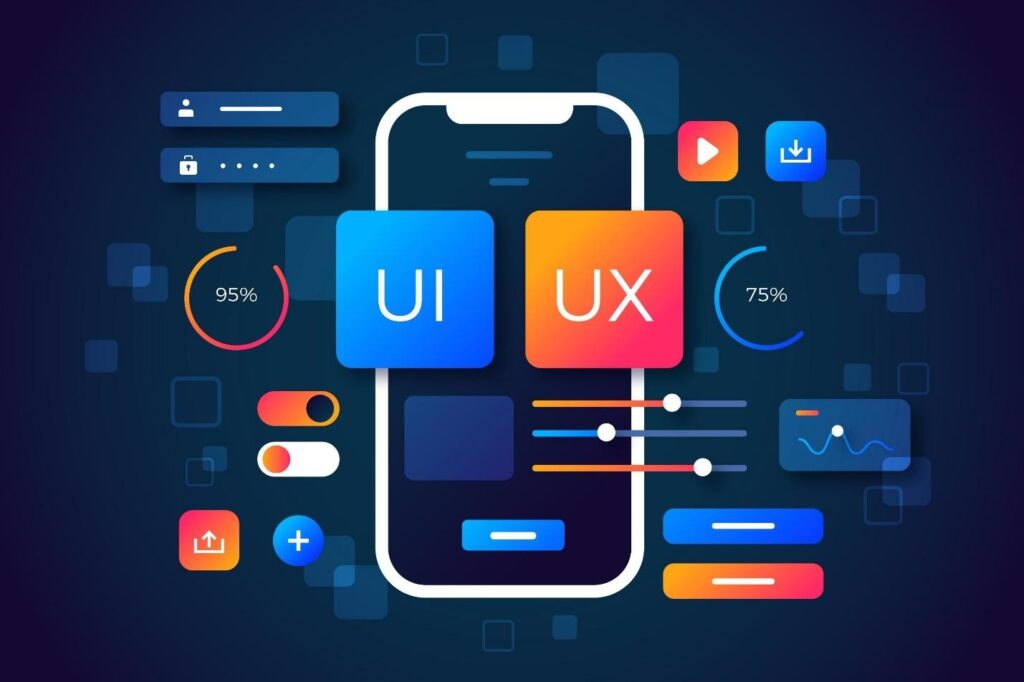
The success of any iOS app hinges on UI/UX. Apple’s design expectations are high, so following their Human Interface Guidelines is critical.
Human-Centered UI/UX Principles
- Keep it simple
- Use intuitive navigation
- Apply consistent spacing and typography
- Prioritize accessibility
- Offer quick onboarding
Developing the iOS Application (Synonym LSI)
Now comes the actual building process.
Choosing Between Native and Cross-Platform Development
Native (Swift)
- Fast
- Best performance
- Full access to Apple frameworks
Cross-Platform (Flutter, React Native)
- Faster deployment
- Shared codebase
- Cost-effective
Integrating APIs and Backend Systems
Your backend may use:
- Firebase
- AWS
- Supabase
- Custom Node.js / Python backend
Testing Your iOS App for Quality Assurance
Types of Testing You Should Conduct
- Functional testing
- UI testing
- Beta testing via TestFlight
- Performance and load tests
- Security assessments
Never skip QA. Apple reviewers will find issues before you do.
Deploying to the Apple App Store
Preparing for App Store Submission
- Create a developer account
- Prepare app screenshots
- Write ASO-optimized descriptions
- Comply with Apple’s guidelines
- Submit via Xcode
Expect a review period of 24–72 hours (sometimes longer).
Maintaining, Updating, and Scaling Your App
Why Continuous Updates Are Essential
- Fix bugs
- Improve compatibility with new iOS versions
- Add features users request
- Enhance performance
Happy users = better ratings = more downloads.
How Tambena Consulting Helps with Your iOS App Development Project
If you want to reduce risk, accelerate development, and ensure a polished final product, consider iOS app development services from Tambena Consulting. They offer:
Strategic Planning and Product Roadmapping
Get professional guidance on feature sets, market research, and technology selection.
Full-Stack iOS Development Services
Their team handles everything: Swift coding, UI/UX design, backend integrations, QA, and App Store submission.
Business-Driven Approach
Tambena focuses on ROI, scalability, and long-term maintenance, ensuring your app grows with your business.
End-to-End Support
From ideation to launch to scaling, Tambena stays with you throughout the product lifecycle.
Whether you’re building a brand-new product or improving an existing one, Tambena Consulting brings the technical expertise and business insight needed for success.
FAQs
How to develop iOS app?
To develop an iOS app, you need a Mac, Xcode, and the Swift programming language. Start by planning your app idea, designing user flows, creating UI elements with SwiftUI or UIKit, developing core logic, integrating APIs, testing through TestFlight, and finally submitting the app to the App Store.
Can you develop iOS apps on Windows?
Yes, but not natively. You’ll need cloud-based Mac services, virtual machines, or cross-platform tools like Flutter or React Native. However, you still must compile the final app using macOS.
How to develop iOS apps on Windows?
You can develop iOS apps on Windows using one of these methods:
- A macOS cloud service like MacStadium
- A macOS virtual machine
- Cross-platform frameworks, then compile on a Mac
You still need macOS at some point for signing and submission.