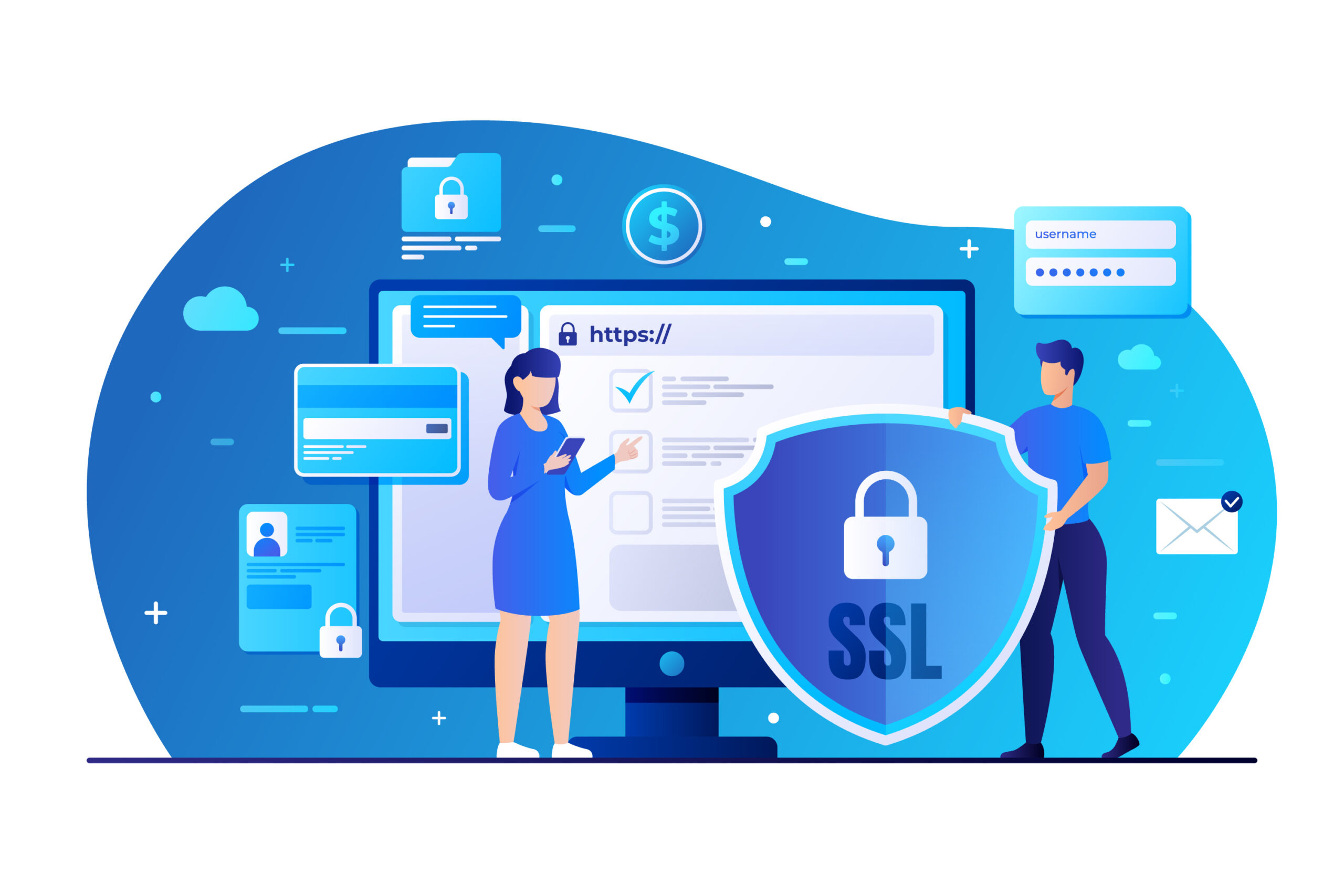
Figuring out how to tell if a website is secure is no longer optional; it’s essential in the modern-day world. Whether you’re entering your card details, logging into your email, checking a social security website, or running a business that relies on online transactions, safety determines everything.
The challenge? Cyber-risks evolve daily, and many users still struggle to identify red flags. This guide simplifies the process so you can confidently determine whether a website is secure across all devices, including iPhone and Android.
Why Website Security Still Confuses Users
Online threats are smarter than ever. Fake login pages mimic trusted brands. Scam sites look professional. Even experienced users get tricked. Many people assume that if a page loads normally, it must be safe, but that’s simply not true.
And for businesses, a single insecure page can destroy user trust, trigger lawsuits, damage branding, and cost thousands. Customers will instantly leave if they sense anything suspicious, and they won’t be wrong.
The Real-World Risks of Not Knowing the Signs
Imagine entering your personal details into a site that seems legitimate, only to discover later that it was a phishing clone. Your password? Stolen. Your card information? Sold on the dark web. Your identity? Compromised.
Or imagine owning a business website that customers avoid because browsers display “Not Secure.” Every ad, every SEO strategy, every marketing dollar becomes meaningless.
This confusion and fear stop people and businesses from achieving real digital confidence.
Below is the simple, actionable process you can follow to verify website safety, plus how consulting partners like Tambena Consulting can support your business’s cybersecurity from end to end.
Key Indicators That a Website Is Safe
The fastest way to protect yourself online is to learn a few universal signs of authenticity. These cues apply everywhere, laptops, tablets, iPhone, Android, and even smart TVs.
Check for HTTPS and a Valid Security Certificate
Every secure website uses HTTPS instead of HTTP. The “S” stands for “secure,” meaning the connection is encrypted.
Look for:
- A padlock icon in the browser address bar
- A URL starting with “https://”
- No warnings like “Not Secure”
Clicking the padlock gives details about the site’s SSL certificate. If the certificate is expired, invalid, or mismatched, avoid entering sensitive information.
Validate the Domain Name
Cybercriminals love creating look-alike domains such as:
- amaz0n.com
- paypa1-login.net
- soclalsecurity.gov.fake
Always double-check spelling and domain extensions. Government sites, for example, use “.gov”, if you’re checking a social security website, anything else is a red flag.
Look for Professional Website Structure, UI, and Grammar
Secure sites are well-designed, consistent, and error-free. If you notice:
- Broken buttons
- Random pop-ups
- Spelling mistakes
- Pixelated logos
- Strange redirects
…it’s time to leave.
Verify Contact Information and Business Transparency
Trustworthy sites provide:
- A physical address
- Phone number
- Support email
- Privacy policy
- Terms & conditions
- Clear branding
Shady sites hide or completely avoid these details.
Use Security Tools and Browser Warnings
Modern browsers like Chrome and Safari automatically warn users if a website is risky. Trust the warnings; they’re based on real-time phishing and malware databases.
Useful tools include:
- Google Safe Browsing
- VirusTotal URL scanner
- SSL Labs security tester
How to Tell If a Website Is Secure on iPhone
Mobile browsing introduces different risks because users often multitask and overlook details. To check how to tell if a website is secure on iPhone, follow these steps:
- Tap the address bar to reveal the full URL
- Inspect the padlock icon
- Go to “Website Settings” in Safari to check permissions
- Avoid sites requesting unnecessary access (location, camera, microphone)
- Turn on “Fraudulent Website Warning” in Safari’s settings
iPhone security is strong, but user awareness is still crucial.
How to Tell If a Website Is Secure on Android
If you’re wondering how to tell if a website is secure on Android, the process is similar but slightly more customizable:
- In Chrome, click the padlock → “Connection is secure”
- Ensure Safe Browsing is enabled
- Avoid APK download sites unless 100% verified
- Use Google Play Protect for automatic threat detection
- Double-check URLs before entering credentials
Android allows more freedom, but that also means more opportunities for cybercriminals, so vigilance is key.
Extra Tips to Ensure Website Safety
Search engines give “natural language inferences” (NLIs) and subtle context clues you can rely on to judge credibility:
- Search the business name + “reviews”
- Look for phrases like “official site,” “verified,” or “trusted source”
- Use social proof such as Google ratings
- Cross-check information on platforms like Reddit or Quora
- Avoid websites with overly aggressive marketing (“ACT NOW!!! LIMITED TIME!!!”)
These signals collectively help users identify legitimate sites.
What About Business Websites? How Tambena Consulting Helps You Stay Secure
If you’re running a business, ensuring your website is secure is not just about compliance; it’s about customer trust and brand credibility. Tambena Consulting specializes in:
Full Website Security Audits
Tambena evaluates everything from SSL certificates to backend vulnerabilities, ensuring your website meets modern cybersecurity standards.
Compliance and Regulatory Protection
They help businesses align with GDPR, SOC2, HIPAA, and industry-specific requirements, reducing the risk of legal issues.
Continuous Monitoring and Threat Detection
With real-time analytics, malware scanning, intrusion detection, and performance monitoring, Tambena ensures your website stays protected long after launch.
Secure Website Development and Optimization
If your business needs a new or redesigned site, Tambena builds each page with encrypted architecture, strong authentication protocols, and secure hosting configurations.
Employee Cyber Awareness Training
Human error is the top cause of security breaches. Tambena trains your staff to recognize phishing attempts, malicious links, and unsafe websites.
By partnering with Tambena Consulting, you protect your users, your revenue, and your reputation.
A Safer Internet Starts With Awareness
Understanding how to tell if a website is secure gives you power, whether you’re casually browsing, entering sensitive details, or running an entire business online. Security doesn’t have to be complicated. A few careful checks can prevent massive losses, identity theft, financial fraud, and data misuse.
As threats evolve, staying proactive is essential. And when in doubt, always choose safety.
FAQs
1. Is the Social Security website down?
The official Social Security Administration website occasionally undergoes scheduled maintenance. If you cannot access it, try again later or check recent updates through trusted government communication channels. Avoid alternative “social security” websites unless they use the .gov domain.
2. How can you tell if a website is secure?
You can tell by checking for HTTPS, verifying the SSL certificate, ensuring the domain name is legitimate, reviewing site design quality, confirming contact information, and trusting browser safety warnings. When unsure, use URL scanners or cybersecurity tools for extra verification.